
Deepswapp Browser
Browse your browser with another browser
A "deepswapp" of a website has data from one website in a layout of another website. The Deepswapp Browser allows users to seamlessly browse this alternative version of the Internet, today. The whole Web can look like Wikipedia, old Reddit, or your own website. Once deepswapped, the website transformation is reusable without AI.
- Single-file HTML page
- Only essential data rendered
- Synchronized tabs
- Synchronized scrolling
- No backgrounds
- No animations
- Data auto-refresh
- Image lazy loading
Process overview
A fresh deepswapp takes around 10 minutes and costs about $0.40c on deepseek-v4.1-flash. This goes down by half when deepswapping a known website.
Other workflows in Taskbot...
GitHub Feed
Create an RSS feed from your GitHub Dashboard, then upload it. This is a missing GitHub feature, and the bot will ask you to log in manually.
Mastodon Muter
Mute non-English posts on your Mastodon wall, with a SQL history. This is a missing Mastodon feature, and the bot will ask you to log in manually.
Taskbot Platform
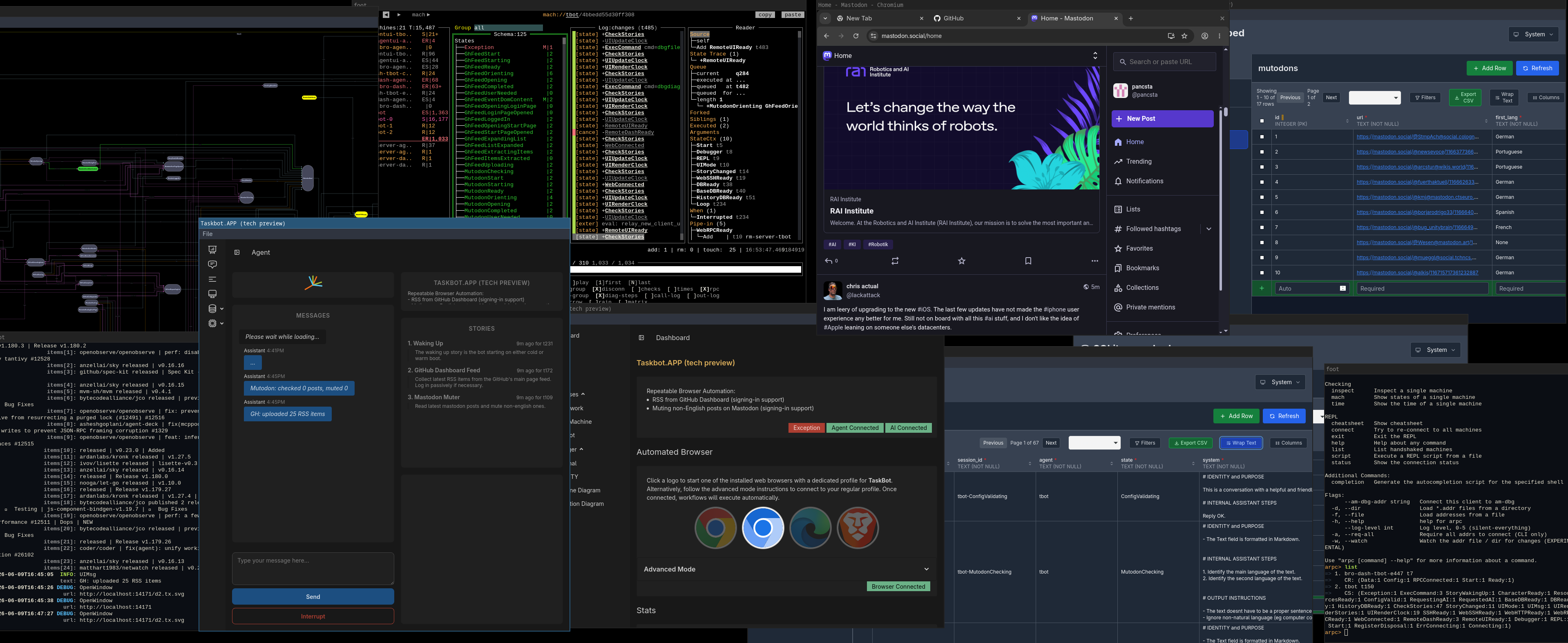
This is a tech preview of Taskbot, an AI Browser Workflows platform driven by special state machines, not AI models. Every step in the workflow can be easily traced and explained, no passwords are stored, and the user cooperates with the bot when necessary.
Components
- Dashboard
- Chat UI
- Log view
- Debugger
- State History
- SQL Database
- REPL
- TUIs
- OpenTelemetry
- Server Mode
Roadmap
- Better window management
- Better page matching for Deepswapps
- HTTP & mobile access to Deepswapps
- AI-generated workflows from user's behavior
Tech Stack
- go.dev
- asyncmachine.dev & secai
- SQLite & sqliter
- WebAssembly & go-app.dev
- Chromium & mafredri/cdp
Installation
-
 Windows Intel
-
Windows ARM
-
 MacOS Intel (unsigned
app)
-
MacOS ARM (unsigned
app)
-
 Linux Intel
-
Linux ARM
-
 Docker Intel
-
Docker ARM
- Extract and run the download
- In the dashboard window, configure an AI provider
- OpenAI / Gemini / OpenAI-compatible
- Click on a browser logo to start an isolated instance
- Deepswapp Browser window will start automatically
- Enable other workflows from the Agent UI
- Optional - edit your taskbot.kdl config
- Configure the deepswapping process
- Set up queue of websites to deepswapp
- Set frequencies or enable workflows
- Set the GitHub upload command
- Set GitHub filters
Enjoy deepswapping! You're welcome to reach out to contact@blogic.tech and sales@blogic.tech.